
I recently completed my Automan agent orchestration system. It successfully executed a hierarchical task graph of around 30 tasks without any manual intervention, using two parallel instances of Claude. In this post, I will describe my setup as specifically as possible while avoiding too many abstractions.
Shelby synchronization mechanism

In my article about Shelby, I forgot to describe how multiple clients can work with the same task database. To recap, the database is an append-only JSONL file in my Git repository, and the clients can be either myself or tools like Claude or Codex. The sync mechanism I’ve created relies on Shelby manually manipulating the Git database. This database uses content-addressable storage, and your .git folder contains a partial snapshot of it depending on which branches you’ve fetched locally. This is what happens when a client wants to start working on a task:
- Shelby fetches the tree representing the remote mainline.
- Shelby reads the contents of
events.jsonlinto memory. - Shelby appends a claim memento line identifying the task ID and the client.
- Shelby inserts the modified file into the local Git object store.
- Shelby builds a new tree based on the mainline with the modified file swapped in and inserts it into the local Git object store.
- Shelby creates a new commit with the new tree, with its parent pointing to the remote mainline.
- Shelby tries to push the commit to the remote mainline.
- If this fails, it means someone has committed in the meantime. In this case, we restart from step one.
- If this succeeds, we write the in-memory content of the modified events.jsonl to the file in the working tree.
- Shelby sets the
assume-unchangedflag onevents.jsonlto prevent Git from picking up that it’s been modified locally.
This mechanism is not just used for claims, but for any operation that wants to write to the database. You might recognize this mechanism as a compare and swap operation which is a lockless synchronization mechanism commonly used in multi-threaded programming.
You might wonder what happens to the objects we created in the object store in the failure case. These are orphaned objects and will eventually be cleaned up by the Git garbage collector (or you can trigger this manually).
Shelby Viewer
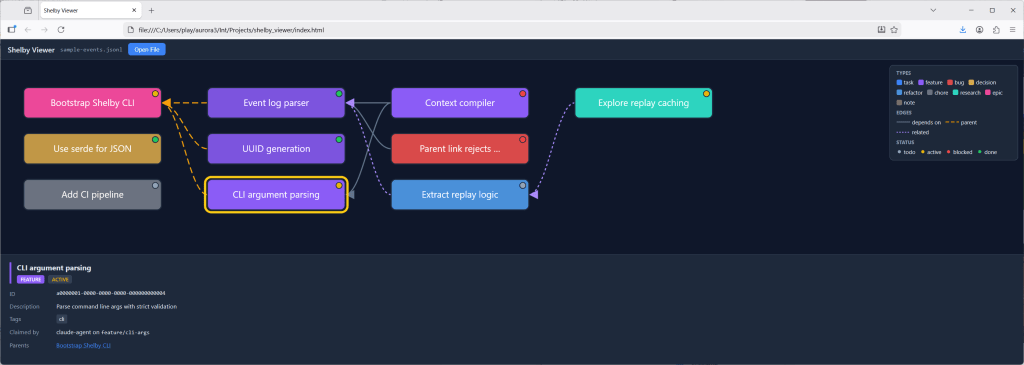
As I was creating quite a complex hierarchy of tasks, I felt the need to create a tool to visualize this. This is an area where tools like Claude really excel. Given a prompt describing how I wanted the tool to work, I got a working HTML/JavaScript tool on the first try, and after a few follow-up prompts to polish it, I had something that did exactly what I wanted. All in all, this probably took less than 20 minutes. In instances like these, AI tools feel truly magical.
The work loop
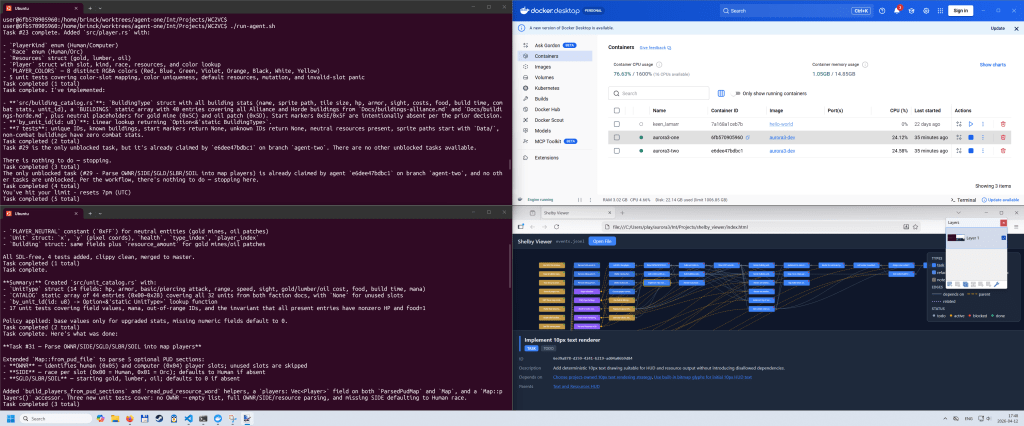
My Automan orchestrator is built on two components:
- A bash script consisting of the following:
- A loop which calls:
claude -p "Execute the next task. Follow the instructions in CLAUDE.md." --allowedTools "Bash,Read,Edit,Write,Glob,Grep" --permission-mode "dontAsk" - A small amount of error handling.
- A loop which calls:
- The
CLAUDE.mdmentioned above:- A very small amount of information about the project
- Instruction to run “shelby help agent” for instructions on Shelby
- Rebase working branch onto remote mainline
- Claim a task
- Do the task
- Publish the completed feature work to remote mainline
- A small amount of error handling instruction (mostly to deal with being interrupted mid task if we run out of tokens)
The Git operations could probably be part of the bash script most of the time, but if there are merge conflicts, it is nice to have Claude help resolve them. This wastes tokens, and context window, and if I continue with this, I’m going to have to fix it. Even if I let Claude handle merge conflicts, they should be handled in separate invocations, since these instructions are not necessary for the session doing the actual work.
When I was working on this, I used two parallel instances of Claude. I could have used any number of instances, but with such a small project there’s a limit to how much you can parallelize, and even with only two instances I quickly ran out of tokens on my Pro plan and the agents would sit idle for many hours.
Containers

For the automation to work, it is important that we’re not interrupted by prompts. As you can see above, I run with the permission mode <dontAsk>, which is one level below <bypassPermissions> (YOLO mode 😎). To avoid exposing my system to undue risk, I’m running each of my automation loops in a container. These are regular Docker containers launched in WSL (Windows Subsystem for Linux). It took quite a bit of time to get them set up correctly. Not because I’m doing something fancy, but because there’s an almost endless stream of small things that need to be configured correctly for the automation to work. This is the kind of thing that traditionally would have taken me a few weeks to set up by poring over documentation, posting on Stack Overflow, and relying on trial and error. This is another instance where AI feels magical.
As I was working on my automation, my decision to run everything in containers was quickly validated. In one of my first trial runs, Claude failed to find the Shelby executable and decided to solve this by creating a new task tracking system from scratch in Python based on what it could infer from inspecting the events.jsonl file…
I recently found out that there is a special type of Docker container specifically designed for coding agents called sbx (sandboxes). In the next iteration of my orchestrator, I will probably switch to these.
Worktrees
Each of the automation loops needs its own branch to work in. There’s not much to say about this, except that I’m using Git worktrees to manage these. This is a small optimization that allows several working trees on disk to share the same object store (as mentioned above).
Everyone wants to show their dancing bear…

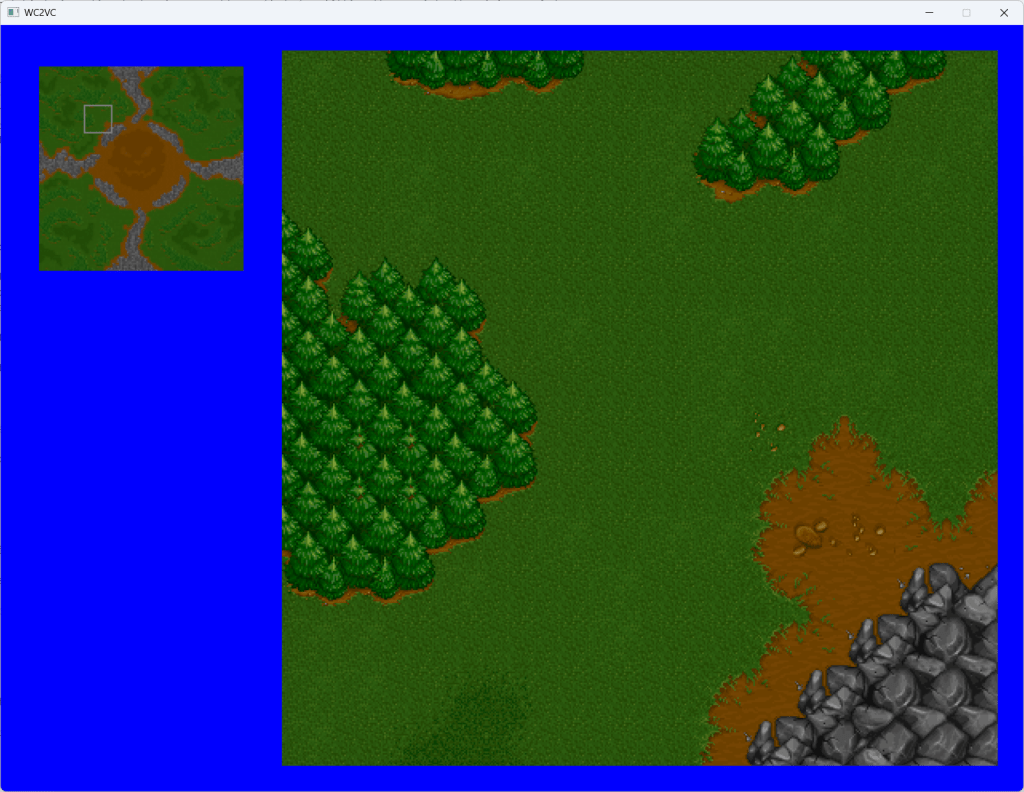
My friend and colleague, Kleber Garcia, made an excellent analogy: agentic AI is like dancing bears – it’s not the dance that’s impressive. In that spirit, this post won’t focus on what my orchestrator actually produced, but how it works (i.e. the dancing, not the dance). I still feel like I’d be leaving something out if I didn’t show something. If you’ve been following along, this is what the project looked like at the end of my last post:
This is what it looks like after the 30 or so tasks were completed:
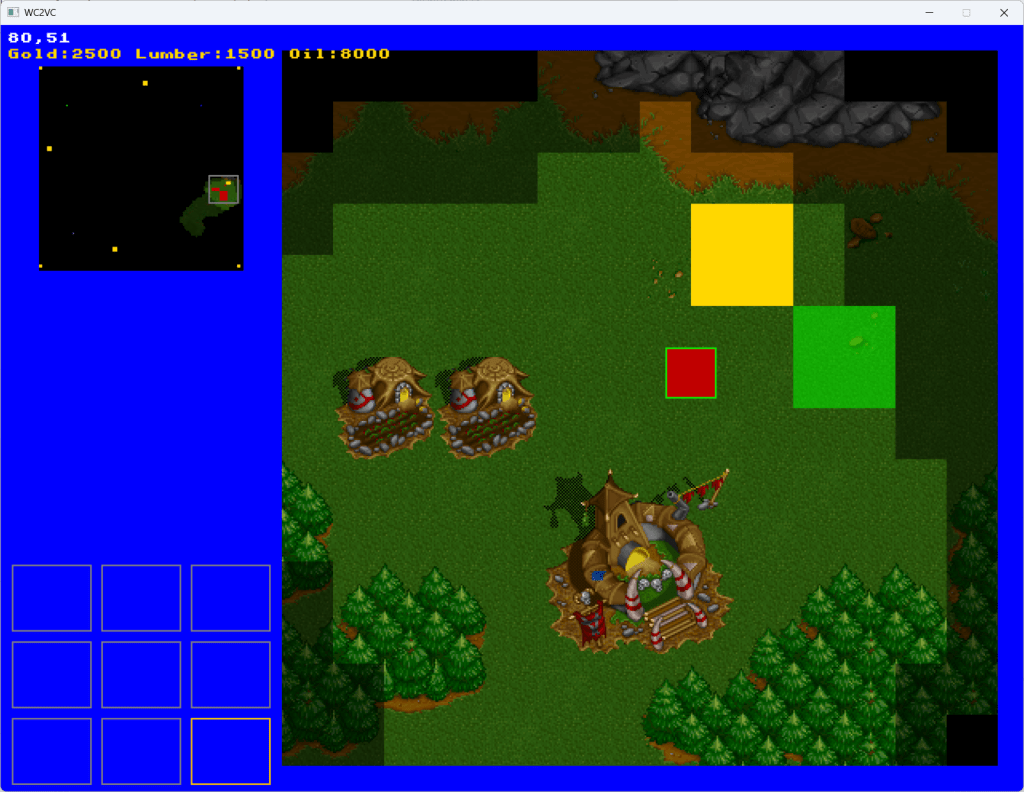
I won’t rattle off everything that was implemented. It is quite obvious from the screenshots.
Killing my darlings
If I continue with this, I might change my Shelby sync mechanism. It is cool that it works without a central service and with the database and the tool fully contained in the repository, but it’s all a bit too cute. I might change this to a more traditional database accessed via a service or daemon (or server, Automan works across multiple machines as well).
Trust the Machine?

These tools are very impressive and can be extremely useful, but I would never in a million years use them to create something mission-critical without closely inspecting the code they produce. These tools will happily cut corners like there’s no tomorrow if it helps them achieve their goals. You can try and rein them in by using words like “must”, “mandatory”, and “forbidden”, but at the end of the day, these don’t mean all that much to a model based on probability distributions.
That’s why I’m a bit skeptical about Steve Yegge’s Wasteland project (“a thousand Gas Towns”). If we create an Eisenhower matrix of important/unimportant and small/humongous projects, the only place where I would let Wasteland loose is on a humongous, unimportant project, and I’m not sure there are that many projects like that out there 🤔.
 hantverkskod
Leave a comment